· 8 min read · Generative UI · AI Agents · WebGL · GLSL · Claude · Prototype
Generative UI Without HTML: Letting the Model Design in a Shader
I wanted Claude to design anything, not fill in a component catalog. I tried a small language, then free-form HTML in a sandbox, then a single GLSL fragment shader with compile errors and a rendered frame fed back to the model. What each attempt got right, why I dropped it, and what I haven't measured.
Most “AI builds you a UI” demos have the model write HTML or React and let the browser do the rest. I wanted to see how much design freedom a model could be given while I still controlled what ran. This post covers three attempts at it: a small language, free-form HTML in a sandbox, and a single shader. I dropped the first two for reasons that were more about me than about the model, so I’ll say what they were.
Attempt 1: a small language
It started as a question about Rive. A .riv file is a binary made in an
editor, so a model can’t write one. Converting model-written HTML to vectors would mean rebuilding a browser’s
layout engine. So I wrote a small indented language with 17 components, a validator, and a renderer that draws it on
a canvas, with a few WebGL shaders for backgrounds.
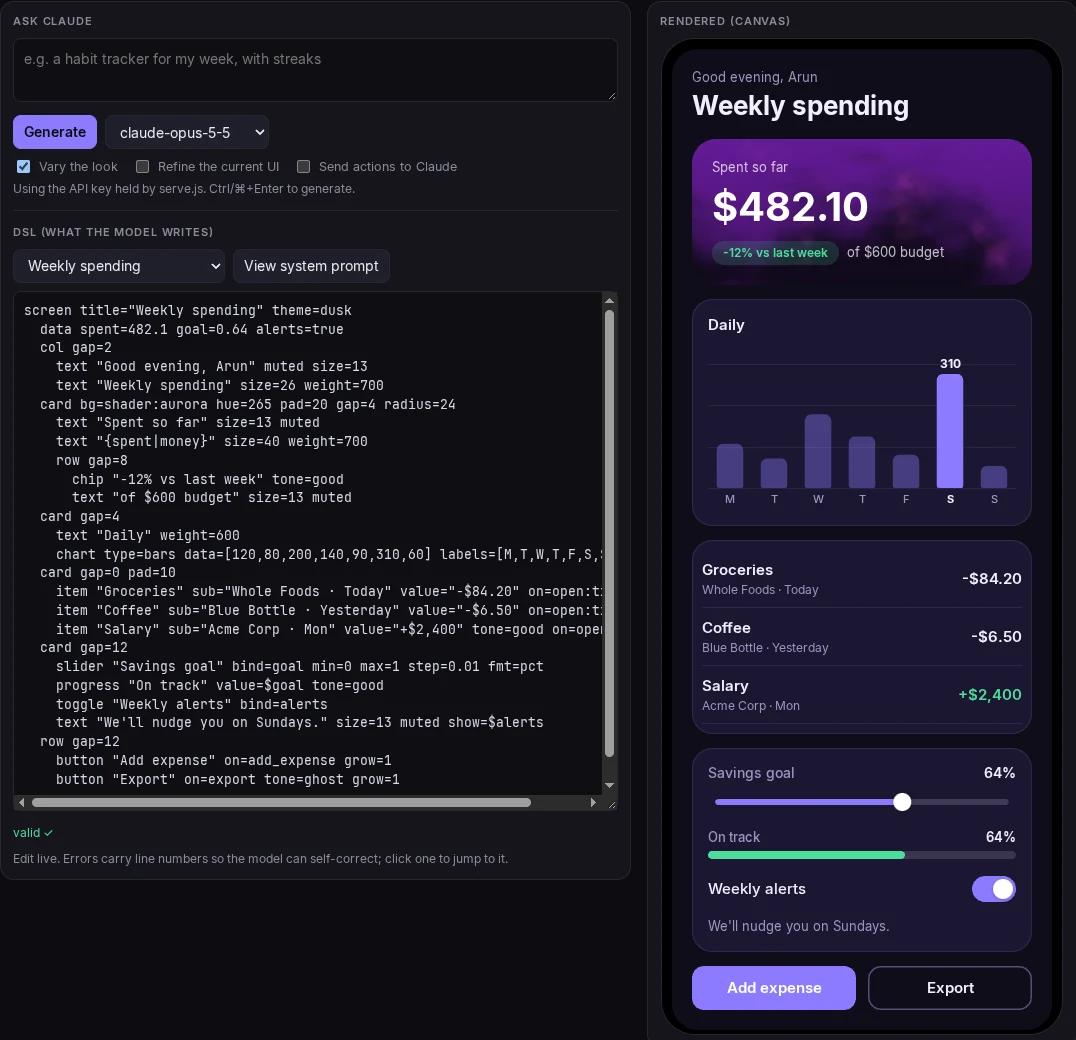
# syntax demo only
screen title="Weekly spending" theme=dusk
  data spent=482.1 goal=0.64 alerts=true
  card bg=shader:aurora hue=265 pad=20
    text "Spent so far" size=13 muted
    text "{spent|money}" size=40 weight=700
    chip "-12% vs last week" tone=good
  chart type=bars data=[120,80,200,140,90,310,60] labels=[M,T,W,T,F,S,S]
  slider "Savings goal" bind=goal min=0 max=1 step=0.01 fmt=pct
  toggle "Weekly alerts" bind=alerts
  text "We'll nudge you on Sundays." size=13 muted show=$alerts
  button "Add expense" on=add_expense
Each line is a component, a string, and some key=value props. The host checks the reply against the
catalog, drops bad nodes, and sends the errors back to the model so it can fix them. Taps and slider moves go back
as small JSON events, and the model answers with the next screen.
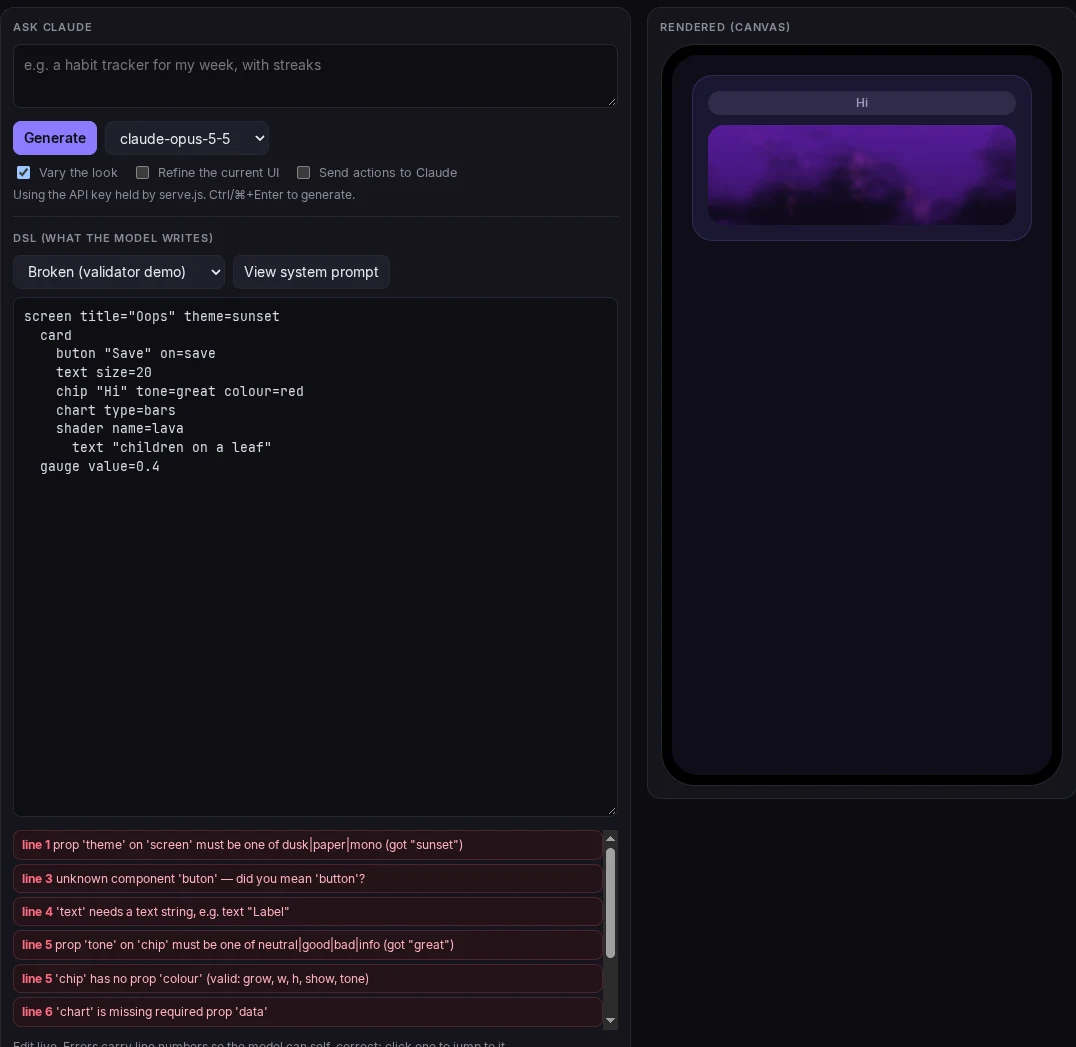
line 1: prop 'theme' on 'screen' must be one of dusk|paper|mono (got "sunset")
line 3: unknown component 'buton' — did you mean 'button'?
line 5: 'chip' has no prop 'colour' (valid: grow, w, h, show, tone)
line 6: 'chart' is missing required prop 'data'
The first run on Claude produced roughly the same screen every time: dark purple, a big number in a hero card, a chart, one button. There were two causes, both mine. The prompt had a single complete example, which the model copied, and the language had three fixed themes and no way to set a colour or a font. I added palette props and a randomly drawn art direction per request (palette, font, layout, radius, density, surface).
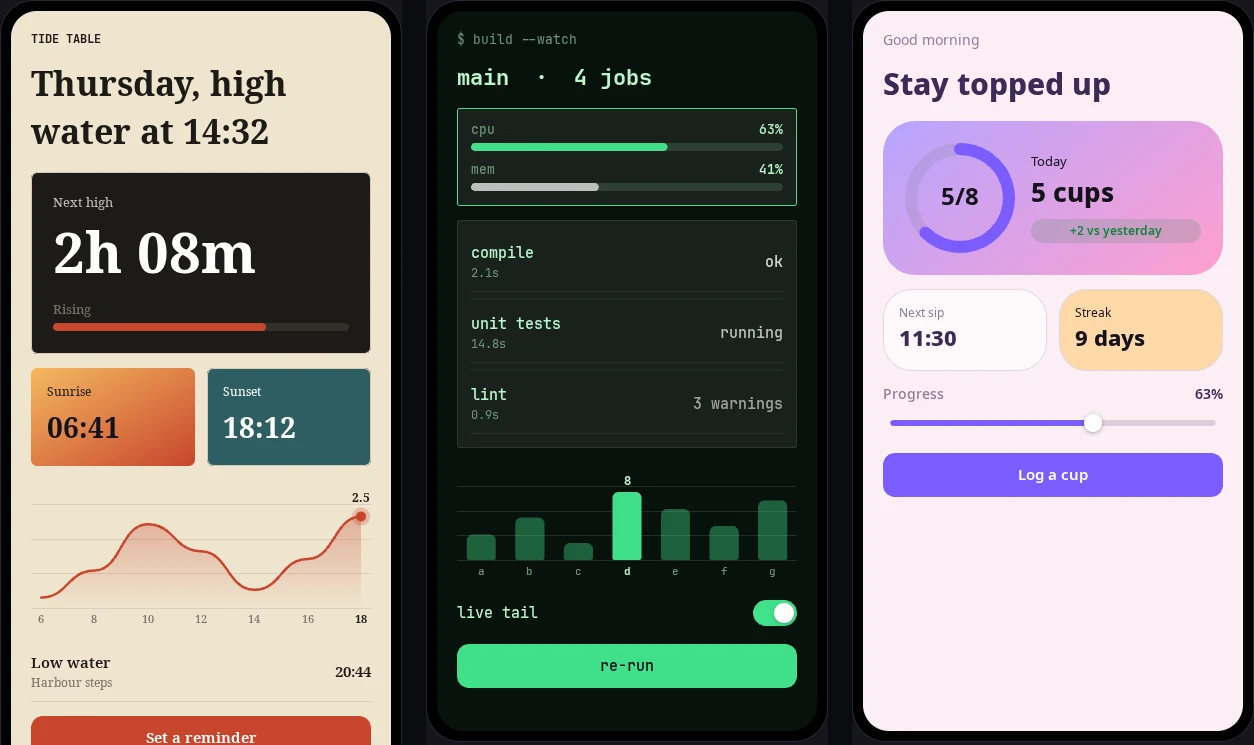
Those pictures are presets I wrote myself, so they show the renderer’s range and not what the model would do with it. The code is at ArunPrakashG/genui-dsl.
The problem is that the model can only draw what my catalog lists. Each new thing it might want, such as a different chart or a layout I hadn’t thought of, meant another component for me to build. I was rewriting a browser’s rendering, in a worse way, to get a design range the browser already has.
Attempt 2: free-form HTML, sandboxed
The next version removed the catalog. The model writes a complete HTML document, with CSS, SVG and canvas allowed,
and it runs in an iframe with sandbox="allow-scripts" and a content security policy that blocks every
network request. The host captures runtime errors and layout measurements, takes a screenshot, and gives the model one
review round with the screenshot attached.
The output was good. I asked for a night market poster in Kochi, and the model produced the one below. I rendered the HTML it wrote in headless Chrome, so this is its own work, with the lanterns and the water animated in the live version.
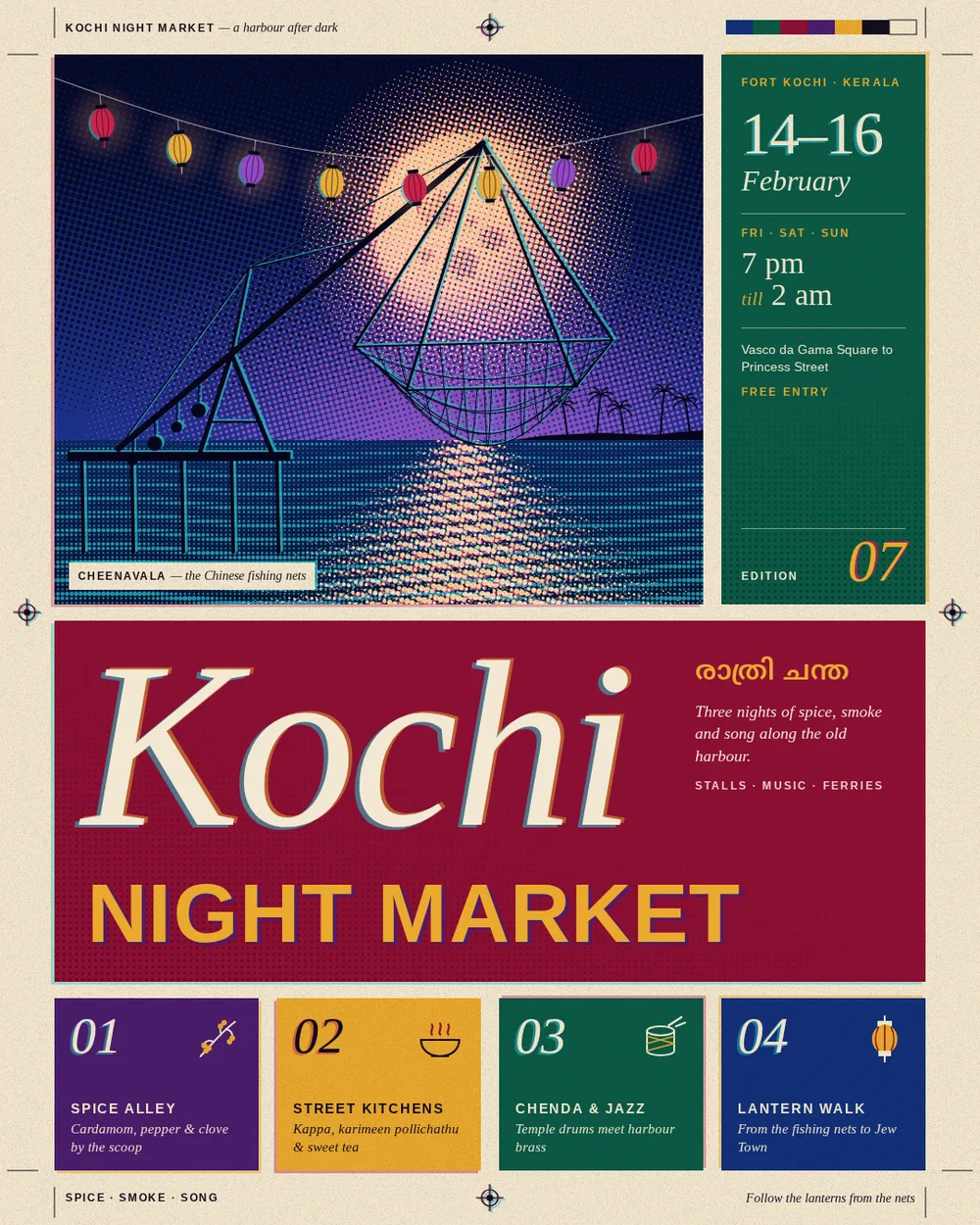
It also wasn’t what I was after. Look at what the model built: CSS grid panels, SVG registration marks, a
<canvas> for the net scene, and text set in web fonts. It’s a web page. I had removed my own
catalog and the model had gone back to the one that already existed, and I was no closer to a design format that
wasn’t HTML.
Attempt 3: only a shader
The third version has the model output a GLSL fragment shader and nothing else. No markup, no JSON, no component list. The host runs it full screen and tells the model what the compiler and a rendered frame say. I used the Shadertoy convention, so the model writes one entry point:
// design:size 1080x1350
void mainImage(out vec4 fragColor, in vec2 fragCoord) {
  vec2 uv = (fragCoord - 0.5 * iResolution.xy) / iResolution.y;
  ...
}
The first line declares the artboard, either a fixed size or fluid. The host provides
iResolution, iTime, iTimeDelta, iFrame and iMouse.
Shapes come from distance functions, patterns from fract() and hashes, texture from noise, and motion
from iTime. All of it is computed in the shader.
Text is the one exception
A shader has no fonts. The host bakes a bold monospace atlas into a texture and exposes a single function,
float glyph(int code, vec2 p), which returns the coverage of one ASCII character. The model draws a
string by looping over an integer array:
const int N = 5; int s[N] = int[](72, 69, 76, 76, 79);   // "HELLO"
for (int i = 0; i < N; i++)
  a = max(a, glyph(s[i], (uv - origin) / size - vec2(float(i) * 0.6, 0.0)));
That limits typography to one face, and I think that’s the main cost of this approach.
The loop
request -> generate -> compile
        -> fix compile errors (up to 2)
        -> review a rendered frame (1 round) -> KEEP, or a revised shader
The host injects #line 1 before the model’s source so GLSL errors point at the model’s own line
numbers. A report goes back to it in this shape (the error message here is an example):
Compile errors (line numbers refer to your source):
- line 14: 'sdCircle' : no matching overloaded function found   <  float d = sdCircle(uv, 0.2, 1.0);
Rendered 1080x1350, animated, 10 ms per frame.
A revision that doesn’t compile never replaces a running design. Review adds measurements to the frame: whether the output is flat or blank, whether it animates, and milliseconds per frame. Each run also gets a random art direction from four lists (palette, form, composition, surface), the same fix I made for the language, so two identical requests don’t land on one look. Calls are never retried, since a rate limit or a refused consent prompt isn’t transient. The loop just keeps the best design so far.
The one real risk is cost
A shader can’t reach the network, storage or the DOM, so there’s nothing to sandbox. What it can do is hold the GPU for minutes with a big loop, and JavaScript can’t interrupt a draw once it starts. My first guard, timing the shader on a 32×32 viewport, passed a 600,000-iteration loop at about 290 ms and then took over a minute at full size. It now subtracts the cost of a trivial shader and scales to the real pixel count:
// JavaScript cannot interrupt a draw once it has started, so cost is estimated on small
// viewports first and scaled up to the real pixel count.
const s1 = steadyMs(p, u, 32, 1), e1 = Math.max(0, s1 - base32) * pixels / 1024;
if (e1 > 8000) return { ms: s1, est: e1 };                      // refuse before the 64x64 pass
const s2 = steadyMs(p, u, 64, 5), e2 = Math.max(0, s2 - base64) * pixels / 4096;
return e2 > 4000 ? { ms: s2, est: e2 } : { ms: s2, est: e2, ok: true };
The thresholds are generous on a real GPU. I tuned them on software rendering, where a legitimate poster shader measured around two seconds per frame at full size, so they are loose on purpose.
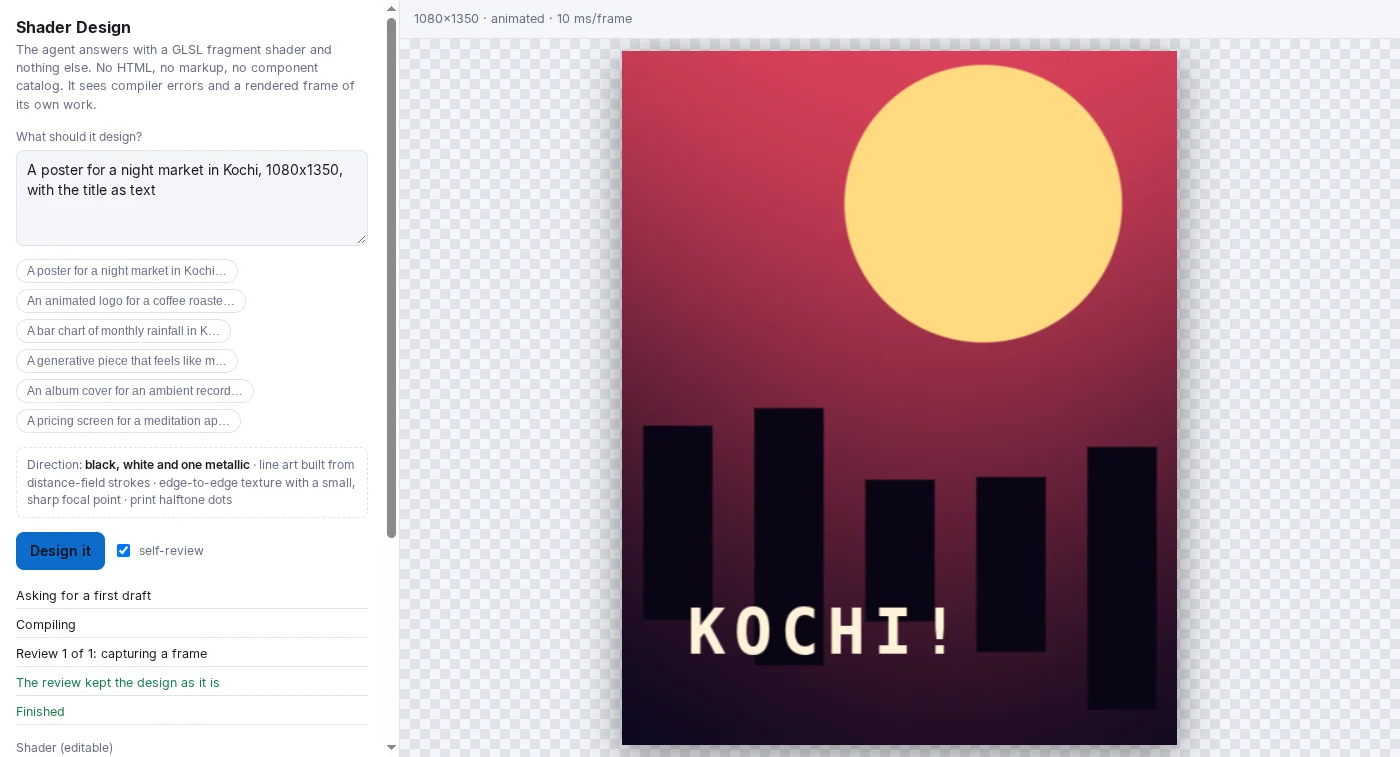
I have to be clear about that picture. I wrote the poster shader myself and returned it through a stubbed model, so it shows that compile, text and the review step work. It says nothing about what Claude would write, and it is much plainer than the HTML poster above.
What I haven’t measured
- I haven’t seen a real shader from Claude through this loop. The test suite uses a stubbed sampler: 29 checks for compile error line numbers,
glyph(), flat and animated detection, the cost guard, pointer input and each way the loop can stop. They pass on the source and on the bundled artifact. - The review step attaches a rendered frame to the model call. That path is untested against the real runtime.
- Whether the model can write a good shader at all is the open question. The HTML poster tells me a model can do impressive visual work in a format it knows well. GLSL for a poster with readable text is harder, and I expect it to be worse until shown otherwise.
- Dense UI such as long forms, tables and scrolling is a poor fit for a shader. Anything with lots of text wants a different tool.
Code
The shader version is about 700 lines of plain JavaScript with no dependencies: a WebGL2 host, the
prompts, the loop, a playground and a build script that bundles the page into a Claude artifact.
npm test runs the headless Chrome test. It’s at
github.com/ArunPrakashG/shader-design. The small
language is at github.com/ArunPrakashG/genui-dsl.